Getting started
Add an animal
Create an animal in AnimalTrace by hand, or bring in several at once from a spreadsheet, and what to do when you reach your plan's limit.
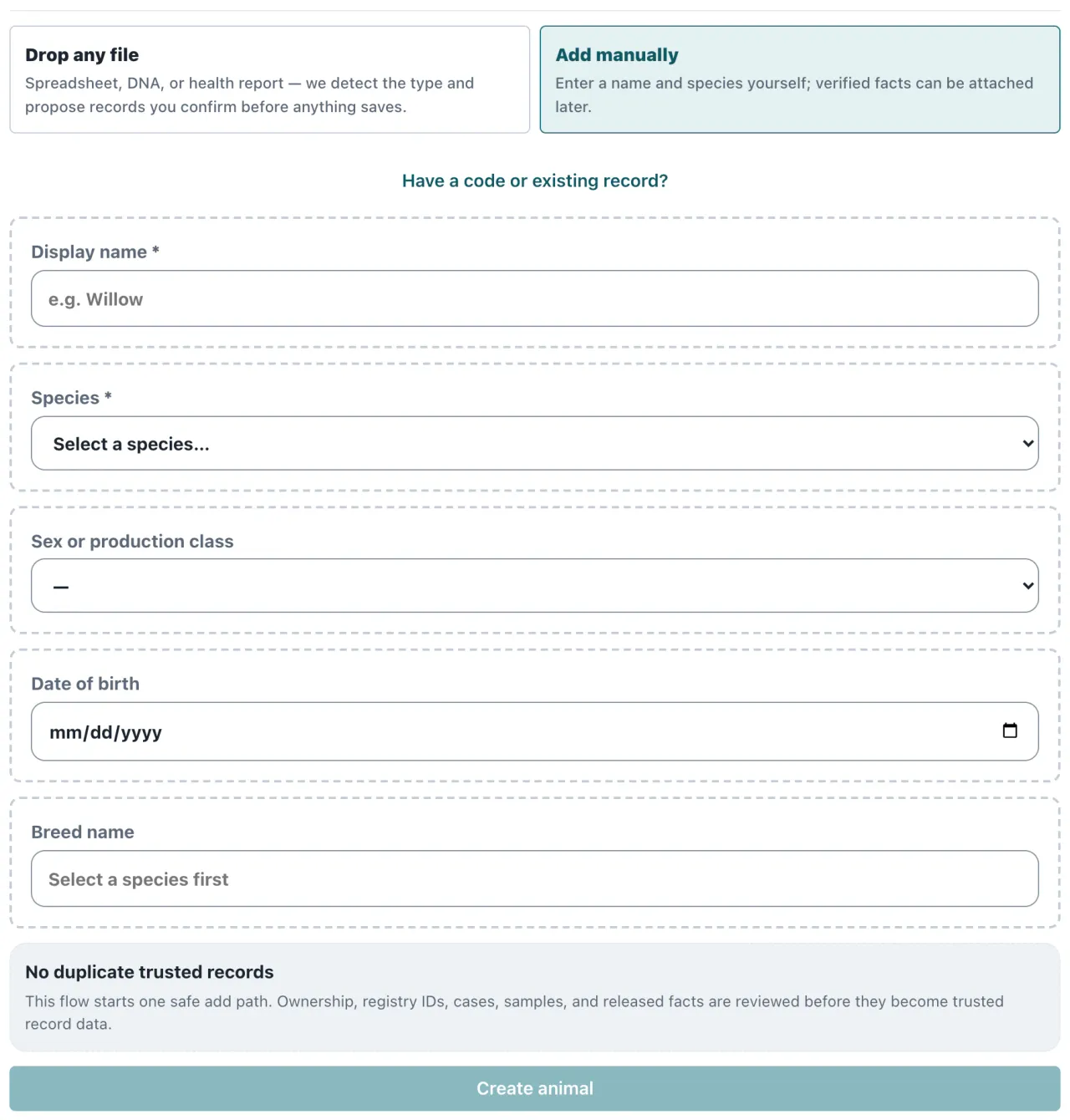
Add one animal
- In the app, select Add in the top bar.
- Add manually is already selected. Enter a Display name and choose the Species. Both are required.
- If you know them, add the Sex or production class, the Date of birth, and the Breed.
- Select Create animal.
The animal is added straight away, and a link lets you open it. From there you can keep its documents on its record.
The breed list is short for now. If the animal’s breed isn’t on it, leave the breed blank, then open the animal and type the breed under Edit profile.
Add several at once
Under Have a code or existing record?, choose Import spreadsheet. Upload a CSV or Excel roster of your animals, and review the rows before any records are created. See import your animals from a spreadsheet.
If a lab or provider gave you an activation code, choose Activation / kit code in the same place.
When you reach your limit
Client Free holds up to 5 animals, and Client Pro up to 100. When you reach the limit, the app tells you and links to Plan and billing. See what each plan includes.
Still stuck? Contact us and a person will reply within 2 business days.